Vivo V5s Specifications, Price - Features

When talking about countries with advancing technology and highest influx of smartphones, India is the name in mind as we have seen countless of smartphones released from so many brands reased in the country as well as applicable. Having said, the Vivo V5s is one of the new phones to grace the Indian tech market with impressive specifications which includes the amazing 20-megapixel front selfie camera setup, 4GB RAM, 64GB internal storage and a host of other premium features which are listed below in the specs sheet. So let's take a look at Vivo V5s specifications and price.

vivo-v5s-specifications-price-features

Vivo V5s Specifications and Price

🔴 Technology
GSM: GSM 850 / 900 / 1800 / 1900
3G: HSDPA 850 / 1900 / 2100
4G: FDD-LTE 1(2100) / 3(1800) / 5(850) / 40 / 41
SIM Type: Micro + Nano SIM (dual stand-by)

🔴 Platform
OS: Android 6 Marshmallow + Funtouch OS 3.0

🔴 Design
Dimensions: 153.8 x 75.5 x 7.55 mm
Weight: 154 g

🔴 Display
5.5-inch, 720 x 1280 pixels, IPS LCD Capacitive 2.5D curved glass touchscreen with Corning Gorilla Glass

🔴 Sensors
Fingerprint, Accelerometer, Ambient, Proximity, e-Compass
Build:

🔴 Colours
Rose Gold. Matte Black

🔴 Processor
Processor Type: 64-bit Octa-core
Processor Name: Mediatek MT6750
Graphics Processor:

🔴 Memory
RAM: 4 GB
Internal Storage: 64 GB
External Storage: MicroSD up to 256 GB

🔴 Camera
Rear: 13 MP, f/2.2, autofocus camera, PDAF, LED flash
Video recording: 1080p @ 30fps
Front-facing: 20 megapixel, f/2.0, flash

🔴 Multimedia
Music Support: MP3/WAV/eAAC+ player
Loudspeaker: Yes
Video Support: MP4/MPEG4/H.263/H.264 player
FM Radio: Yes

🔴 Connectivity
Bluetooth: v4.0
WiFi: Wi-Fi 802.11 b/g/n, hotspot
GPS: Yes
USB: microUSB v2.0, USB OTG

🔴 Battery
Charging:
Battery: Non-removable Li-Ion 3000 mAh

🔴 Status
Announced: April 27, 2017
Availability: April 27, 2017

🔴 Price
Launch Price in India: INR 18,990
Nigeria: N90,400


When talking about countries with advancing technology and highest influx of smartphones, India is the name in mind as we have seen countles...

How to Fix USB OTG related Issues on Android Devices

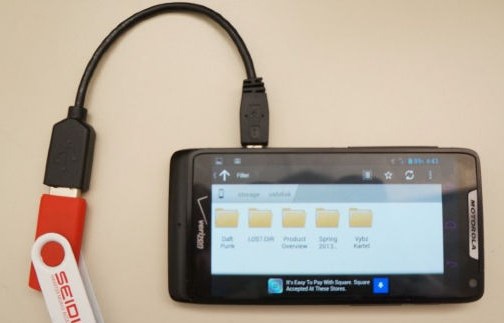
Learn how to Fix USB OTG related Issues on Android Devices that can be there because the number of reasons and you should know all of them to fix them easily. So follow the complete tutorial below.


How-to-fix-USB-OTG-relatated-issue-on-Android-device

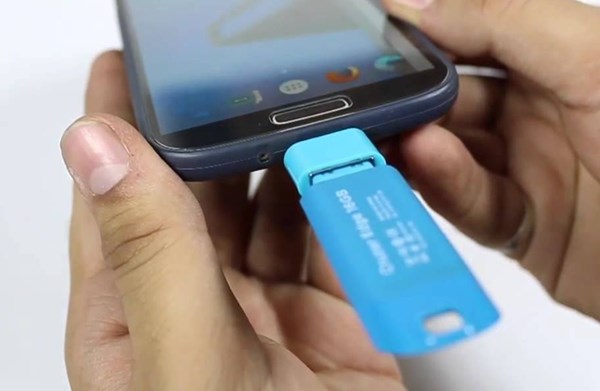
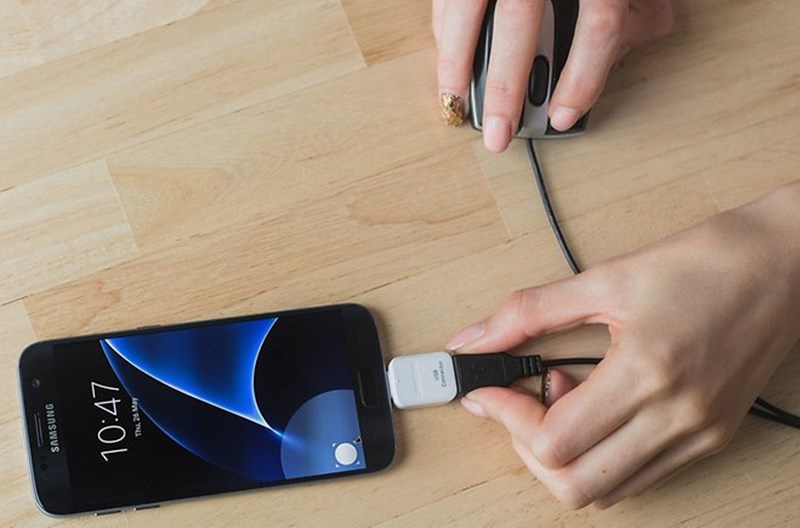
The technology has incremented immensely for the smartphone devices, and by the time it had got the incredible power of working, connecting and analyzing with the other accessories too. The major role in the part of increasing of smartness of smartphone devices is the increased capabilities of USB. Before this was only possible to connect up the devices through USB on the computer, but now after the advent of the USB OTG functionality in a smartphone, the whole range of flexibility have taken over. Using the USB OTG feature the Flash Drives, pen drives, etc. could be attached and used with the smartphones device. The all new USB Type C format has made it much faster and convenient to work with the OTG functionality, but apart from being the advanced tech many of the users are likely to face some issues with it’s working. To help out the users facing problems with the USB OTG on their smartphones, we have written up this article where we have discussed and relatively written about solutions to various problems regarding USB OTG. Just read up the article to know about these matters and their solutions!

How to Fix USB OTG related Issues on Android Devices

The method is quite straightforward and easy, and you just need to follow the simple guide that we had discussed just right below.

# Problem 1


Fix USB OTG related Issues on Android Devices

The USB OTG Flash Drive isn’t just connecting to the phone! What the hell is that? This could be an annoying issue, and you could only not find any solution to fix this up. The first thing that you have to know about your device is that is it supporting the USB OTG or not, look for its specs and then check for the OTG support. Most probably the users don’t know that their device supports the USB OTG or not and just give up the OTG a try.

# Problem 2


Fix USB OTG related Issues on Android Devices

If your device is stage old and is consisting of the far behind the technology that was previously used for the OTG, then there might be the case that your device cannot withhold the new tech device OTG accessories. The old OTG tech uses up much more power to regulate the connected accessories and devices while the new OTG tech is made to ensure the working of the OTG devices even on the lowest possible power. If you are connecting any old tech USB OTG accessory on the latest OTG supporting device, then this is probably possible that it would not connect to it because it requires more power while the instrument doesn’t emit that much!
The solution here is the only way, and that is you should try to use up all the accessories or attaching peripherals that are manufactured by the renowned and reliable companies like the Sandisk etc. The cheap ones could most probably cause you the issue, and there could be no chance to fix that up. Although the reliable accessories from renowned manufacturers are a bit more expensive seriously these are more technically rock hard!

# Problem 3


Fix USB OTG related Issues on Android Devices

The software of your device would fail to recognize the file format system of the attached peripheral. To solve out the issue try to switch to some better file manager app that uses up more sophisticated algorithms to connect and read the OTG connected device file systems! ES File Explorer could be the better choice, in this case; the root accessibility would unfold the more complex functions to work on your connected storage or OTG peripherals.
Now after reading up the above article you have got about various fixes related to the common issues related to the USB OTG of the Smartphone devices. More precisely taking about all those fixes are made for the Android devices, but these could also be implemented on other smartphone devices too by following that exact pattern of settings and procedure. We would love to see your existence via the comments box. 
Source: techwiki.com

Learn how to Fix USB OTG related Issues on Android Devices that can be there because the number of reasons and you should know all of them t...

Infinix S2 Pro Specifications, Features, Price in Nigeria, Kenya and Ghana

The Infinix S2 Pro is 'world’s first Wefie’ smartphone, that's, phone with dual front selfie cameras. This is quite different from what we see from other brands which boasts of dual back cameras. Also this phone features a 2.5D display screen.

infinix-s2-pro-specifications-features

The S2 Pro is the successor of the Infinix Hot S with several upgrades in specifications and features. The phone runs Android 6.0 Marshmallow with Infinix customized interface known as the XOS Chameleon. It is powered by Octa-core 1.3GHz Cortex-A53 MediaTek MT6753 chipset.

For the storage and memory department, the phone has 3GB RAM alongside 32GB internal storage which can be further expanded up to 256GB with external microSD card.

The camera configuration is one of the highlights of this device; at the front, it has two cameras with soft LED flash - 13-megapixel for wide angle selfies and 8-megapixel for the normal selfie. The result of the dual-front camera system is a better selfie experience for the users. You may call it a camera centric device. I think girls will be mad at this phone.

Connectivity options includes GPS, WLAN, Bluetooth, Wifi Direct, OTG and lots more. It also supports 4G LTE, fingerprint sensor. The Infinix S2 Pro uses 3000mAh non-removable battery with fast charging fully supported. Below is the full specs of the phone.

INFINIX S2 PRO SPECIFICATIONS

🔴 BASIC DETAILS
BRAND: Infinix Mobile
MODEL: S2 Pro
STATUS: Coming Soon

🔴 NETWORKS
SIM: Dual SIM(Micro-SIM)
NETWORKS: 4G LTE, 3G HSPA+, 2G EDGE & GPRS Networks

🔴 DISPLAY
SIZE: 5.2 Inches
TECHNOLOGY: IPS LCD with 2.5D Arc Glass
RESOLUTION: HD (720 x 1280 Pixels) 282 PPI
PROTECTION: Dragontrail Glass

🔴 PLATFORM
OS: Android 6.0 Marshmallow with XOS Chameleon

🔴 PROCESSOR
CHIPSET: MediaTek MT6753
CPU: 1.3GHz Octa Core Cortex-A53
GPU: Mali-T720 MP2

🔴 MEMORY
RAM: 3 GB
INTERNAL: 32GB
EXPANSION:  128GB via microSD

🔴 CAMERA
REAR: 13.0 Megapixels
FEATURES: - 1.12µm Pixels
Autofocus
Dual-tone LED Flash
FRONT: 13.0 Megapixels
FEATURES:  - Dual Camera (13MP + 8MP)
Autofocus
Soft LED Flash

🔴 CONNECTIVITY
WI-FI: Wi-Fi 802.11 b/g/n
NFC: No
BLUETOOTH: Bluetooth 4.0
GPS: A-GPS
USB OTG: Yes
USB: MicroUSB 2.0

🔴 MULTIMEDIA
AUDIO JACK: 3.5mm Audio Jack
AUDIO ENHANCEMENT: None
FM RADIO: Yes

🔴 SENSORS
BIOMETRIC: Fingerprint Sensor
ENVIRONMENTAL: Proximity Sensor & Ambient Light Sensor
ORIENTATION: Accelerometer

🔴 BATTERY
CAPACITY: 3000mAh
TYPE: Li-ion
REMOVABLE: No
CHARGING: Fast Charging

🔴 STATUS
ANNOUNCED: March, 2017
AVAILABILITY: Coming soon. Exp April 2017

 ðŸ”´ PRICE
Price in Nigeria: NGN 47,500
Price in Kenya: KES 15,699
Price in Ghana: GHS 643

Note that the prices above is subject to change with time and location. When finally available, you can get it from Jumia, Konga, Gearbest and other affiliated mobile phone stores close to you such as 3C hub, Finet, etc.    

The Infinix S2 Pro is 'world’s first Wefie’ smartphone, that's, phone with dual front selfie cameras. This is quite different from ...

OGYouTube v3 (Mod AdAway) Cracked APK

OGYouTube
OGYouTube is a modded YouTube application with several features, such as Popup Playback & Download and install Video clips.
Feature
  • You can download and install multiple downloads in the meanwhile.
  • You could view the video on Background & Popup Window.
  • You can watch the video while the Screen is off.
  • You can play all high qualities * 140p ~ 1440p *.
  • You could download and install the video clip as [MP3] You could download the captions.
  • You can download any high quality.
  • Option to push back button twice to exit the video clip.
MOD Info
  • OGYouTube is a modded YouTube app with many features, such as Popup Playback & Download Videos!
What’s New
  • Updated the base version into 12.10.60
  • Support the download on Android Nouget
  • Fixed some issues with decrypting videos
  • Fixed some issues with downloading
  • Other bug fixes
How to Install ?
  1. Download and Install APK From The Links Given Below
  2. Done, Enjoy
Screenshots


Download & Links 
microG for OGYT
Root User
No-Root User
Xposed User
For Sign-in fix install this Xposed module

OGYouTube OGYouTube is a modded YouTube application with several features, such as Popup Playback & Download and install Video clips. Fe...

Tecno i3 Specifications, Price in India, Nigeria

Tecno i3 is the smaller version of Tecno i3 Pro although the difference is not much. Both devices are among the newly announced smartphones in India that are making waves right now. Tecno is really taking everybody by surprise through their incessant production of impressive phones lately.

The Tecno i3 specifications are almost similar to the i3 plus, except the RAM size which is 2gb as against 3gb on the later and the absence of fingerprint sensor which is included in the other variant. Apart from that, all other specs are the same. Meanwhile, there will be a slight difference in Tecno i3 price when it's finally official in India. We also hope these new phones hit the African and Nigerian market in particular soon. Below is the full Tecno i3 specs.


TECNO I3 PRO SPECIFICATIONS

🔵 DISPLAY
Touchscreen Capacitive touchscreen
Display Size, Type 5", IPS LCD , 294PPI (pixel density), Multi-touch
Resolution , PPI , Colors 1280 x 720 pixels , 400 , 16M

🔵 DESIGN
142.75 x 70.50 x 7.90 (height x width x thickness) and weigh 145.00 grams

🔵 NETWORKS
2G 850 / 900 / 1800 / 1900 MHz GSM
3G 850 / 900 / 1900 / 2100 , Speed: 42.2 Mbps (HSDPA), 5.76 Mbps;(HSUPA)
4G LTE Cat 4 150/50 Mbps, LTE Cat 6 300/50 Mbps OR LTE band 1(2100), 2(1900), 3(1800), 5(850), 7(2600), 8(900), 20(800) OR LTE 700 / 800 / 850 / 900 / 1700 / 1800 / 1900 / 2100 / 2600
EDGE Yes
GPRS Yes
SIM Type Dual SIM

🔵 PROCESSOR
Quad core 1.5GHz Cortex A53 & MediaTek MT6737 SoC
GPU Mali T720 GPU

🔵 MEMORY
RAM 2GB RAM
Internal Memory 16GB
External Memory Expandable up to 32GB (microSD)

🔵 PLATFORM
OS: Android 7.0 Nougat

🔵 CAMERA
Primary Camera 8 MP
Secondary Camera 8 MP
Flash LED
Additional Information Geotagging, Autofocus , HD Recording (720p), 30 frames per second

🔵 CONNECTIVITY
Bluetooth Yes
4G LTE VoLTE
Wi-Fi (W-LAN) Wi-Fi 802.11 b/g/n
GPS A-GPS
Additional Information Micro USB 2.0

 ðŸ”µ COLORS
Champagne Gold, Sky Black and

🔵 SENSORS
Accelerometer, Proximity

🔵 MULTIMEDIA
Music, Video MP3 , MP4
Additional Information HTML, HTML5, Active noise cancellation with dedicated mic
FM Radio: yes

🔵 BATTERY
Battery Li-Ion 3,050 mAh

🔵 PRICE
Price in India: to be announced
Price in Nigeria: to be anounced   

Tecno i3 is the smaller version of Tecno i3 Pro although the difference is not much. Both devices are among the newly announced smartphones ...

Guide: How to take Screenshots On Samsung Galaxy S8

We don’t typically talk much about how to take screenshots on the Android phones you guys buy because it’s been the exact same process for years. On a Samsung phone, you do a palm swipe across the screen (if enabled) or press Power + Home for a couple of seconds. On all other Android phones, it’s a press of Power + Volume Down for a couple of seconds. Any newb knows how this works. Plus, the last thing any of you need is for us to become another Android SEO farm. There are enough of those. Gross.

With that said, if you have been a long-time Samsung Galaxy phone owner, things are actually changing on the Galaxy S8 and Galaxy S8+ in the screenshots department. How exciting!  
Since you no longer have a physical home button to press, you can no longer do the Home + Power combo to take a screenshot. Instead, you now get to be just another average Android user and do the Power + Volume Down trick. Cool, right?

Galaxy S8 Screenshots – Method 1
1. Press and hold Power + Volume Down for a couple of seconds.
2. Your phone will do a little buzz and then an animation to confirm the screenshot.
3. That’s it.
Galaxy S8 Screenshots – Method 2
1. Swipe the edge of your hand over your screen gently. (See image below)
2. If done right, your phone will also buzz and animate to confirm the screenshot.
3. That’s it.


Other Notes
Now, that’s of course not all. Those two ways will get you screenshots, but Samsung takes their screenshot feature up several notches. Since we’re here, we may as well talk about some of those items.
  • Advanced Features: Head into Settings>Advanced Features and you’ll find settings for the Palm Swipe to Capture and Smart Capture. If you want to be able to do the palm swipe for screenshots, this is where you’ll enable it (it should be on by default). If you want some extra tools to show just after you take a screenshot, you’ll want Smart Capture on.
  • Smart Capture: This is actually pretty useful, assuming you don’t need to fire off 10 screenshots in a row. Because after each screenshot (with either Method 1 or 2 above), Smart Capture displays a little menu bar at the bottom of your just-captured screenshot. You can tell it to continue capturing (“Scroll Capture”), should you want to capture a long webpage or document, plus you can draw on screenshots, crop them, or instantly share them to another app or person.
  • See screenshots below.


And that’s pretty much it for Galaxy S8 screenshots. Samsung users, welcome to the Power + Volume Down party. We’ll make room for you.

We don’t typically talk much about how to take screenshots on the Android phones you guys buy because it’s been the exact same process for y...

TECNO i7 - Phone Specifications and Price

Tecno Mobile has launched new range of smartphones in India - Tecno i3, i3 Pro, i5, i5 Pro and i7 -, of which one amongst them is the Tecno i7. This is the bigger version amongst other models launched in India. It shares several specifications with the Camon CX, but has bigger RAM of 4GB, bigger internal storage of 32GB and a bigger battery 4000mAh. Sadly, the i7 is available officially only in India. Have a look at the TECNO i7 Specifications and price in India below.


TECNO i7 – Phone Specifications and Price

Technology
  • GSM: GSM 900 / 1800
  • 3G: HSDPA 900 / 2100
  • 4G: LTE + VoLTE 3(1800) / 7(2600) / 20(800) / 28(700) / 40(2300)
  • SIM Type: Dual Nano-SIM (dual standby)
  • OS: Android 7 Nougat + HiOS
Design
  • Dimensions: 151.5 x 75.2 x 7.75 mm
  • Weight: 155 g
  • Display: 5.5-inch, 1080 x 1920 pixels (400 PPI)), IPS LCD touchscreen 2.5D display
  • Sensors: Fingerprint, Accelerometer, Compass, G-Sensor, Ambient Light, Proximity
  • Build: Metal
  • Colours: Champagne Gold, Sky Black, Space Gray
Hardware
  • Processor Type: Octa-core 1.5 GHz Cortex-A53
  • Processor Name: Mediatek MTK6750T
  • Graphics Processor: Mali-T860
  • RAM: 4 GB
  • Internal Storage: 32 GB
  • External Storage: microSD, up to 128 GB
Cameras
  • Rear: 13 megapixels, f/2.0 lens, autofocus, PDAF, quad-LED flash
  • Video recording: 1080p @ 30fps
  • Front-facing: 16 megapixels, f/2.0 lens, PIXELEX engine and flash
Multimedia
  • Music Support: AAC, AMR, MP2, MP3, M4A, MKA,
  • Loudspeaker: Yes
  • Video Support: MP4/MPEG4/H.263/H.264 player
  • FM Radio: Yes
Connectivity
  • Bluetooth: v4.2
  • WiFi: Wi-Fi 802.11 b/g/n, hotspot
  • GPS: Yes
  • USB: microUSB v2.0, USB Host/Charging
Miscellaneous
  • Charging: Rocket Charge
  • Battery: Li-Polymer 4000 mAh
  • Announcement: April 18, 2017
  • Availability: May 2017
  • Launch Price: Rs 14,990

Tecno Mobile has launched new range of smartphones in India -  Tecno i3, i3 Pro, i5, i5 Pro and i7  -, of which one amongst them is the Tecn...

Galaxy S8 Guide: Customizing Navigation Bar


If you saw our initial hands-on with the Galaxy S8 and Galaxy S8+, you’ll have seen that customizing the navigation bar on the Galaxy S8 is not only easy, but pretty darn cool. On this device, Samsung allows owners to switch up the button order (Back, Home, Recent), but you can even apply your own custom color to the bar itself.
In this post, we will walk you through this simple process, so let’s get to it.
Under the Settings menu, locate the Display section. Once inside, scroll down until you find “Navigation bar.” This section is where all of the customization is handled from. If you want to change your button order, select “Button layout.” There are two options, “Recents – Home – Back,” and “Back – Home – Recents.” I, being the purist Android user that I am, go with the Back – Home – Recents option.


O
once your order is set, it is time to select a color. Now, do note, the color of the navigation bar can only be seen in select circumstances. For example, regardless of what color you select, you won’t see it on your Home screen; it will always be transparent. However, if you’re inside your Settings menu or a select application, you will see it there.
There are predetermined colors to choose from, including White, Black, Pink, Brown, Grey, and a Bluish Grey. There is also a color wheel, allowing to select basically any color you can imagine. You can go with Green, Hot Pink, Blue, or anything in between. The choice is yours. Once you have a color you like, hit “Done.” Now, whenever you are inside select applications or strolling through your Settings menu, your navigation bar will be that selected color.


Another feature very much worth noting under this section is “Unlock with Home button.” With this function enabled, a constant Home button is shown while the display is off. Hard pressing on this button will bypass the lock screen and immediately take you to the home screen. For those concerned about security, don’t worry, if your phone is password protected or otherwise locked, there is no bypassing for unknown users.
Considering this is Samsung’s first major use of on-screen buttons, they really knocked it out of the park with this implementation. Hat tip to Samsung. 

If you saw our initial hands-on with the  Galaxy S8  and  Galaxy S8+ , you’ll have seen that customizing the navigation bar on the Galaxy S8...

Instagram Gets An Offline Mode On Android Device


During Facebook’s F8 conference yesterday, the company shared a new feature for Instagram, it’s still-growing-like-crazy image sharing platform, that could allow its continued growth into additional areas of the world, specifically those without proper data connections. Instagram on Android is getting (already has?) an offline mode. 
An Instagram engineer explained that most of its offline functionality is actually already available on Android, but the goal is to allow users to see content in the Instagram feed that has previously loaded, leave comments, like items, save media, and even unfollow people. While none of that would happen in real-time without a connection, it certainly will once the person’s device connects to data again.
Sure, most of the people that visit this site don’t necessarily care about an Instagram offline mode, but this is huge globally for those areas that lack our kinds of connectivity. Or you know, maybe you’ll go camping one day and need to get in some fresh, fresh likes.

During Facebook’s F8 conference yesterday, the company shared a new feature for  Instagram , it’s still-growing-like-crazy image sharing pla...

Google May Introduce An Ad Blocker into Chrome Browser


According to a report from the Wall Street Journal, Google, an ad company, is considering putting an ad blocker in its Chrome internet browser on mobile and desktop. The ad blocker won’t be a full blocker, though, but rather a blocker that targets unacceptable ads that likely ruin your experience as you dance around the web. 
The WSJ is under the impression that Google is readying the feature and could have it ready within weeks, assuming they do launch it because they could still scrap it altogether.
So wait, why would an ad company want to block ads? The thought here is that unacceptable or bad ads are ruining the experience for people who are then looking for full ad blockers to rid their lives of ads. If Google can block only the obnoxious types, then maybe ad blocker installations will stop increasing and the web won’t be so filthy with just Google’s ads in place. It’s kind of a wild idea, but hey, it makes some sense.
The types of unacceptable ads that Google could look to block or those that pop-up, auto-play video with sound, or are a prestitial, which would be those f*cking terrible ads that pop-up as you load a site and feature a countdown before you can even get onto the actual content you came for. Yeah, I hate those and that’s why you’ve never seen them on Droid Life.
I guess we’ll find out pretty quickly if Google is going forward with this.
Via: Wall Street

According to a report from the  Wall Street Journal , Google, an ad company, is considering putting an ad blocker in its Chrome internet bro...

UMIDIGI C Note Specs, Price in Nigeria, US, India and China

UMIDIGI C Note Specs indicates that the smartphone is build with aluminium metallic body sporting a 5.5-inch IPS LCD Capacitive 2.5D curved glass screen. It runs runs stock Android 7 OS version right away.


The phone is powered by octa-core, 1.5 GHz Cortex-A53 Mediatek 6737T with a dedicated ARM MALI-T720 MP2 600MHz for the Graphics. The Umidigi C Note packs 3GB RAM and 32GB internal storage expandable up to 256GB via external microSD card.

In terms of camera, we are seeing an impressive 13-megapixel Samsung S5K3L8 camera at the back as well as 5-megapixel front facing camera for selfies. The phone supports 4G LTE and fingerprint.

Connectivity options includes USB Type-C, WLAN, WiFi Direct, Bluetooth and so on. Checkout the rest of the Specifications below in the specs sheet.

UMIDIGI C NOTE SPECIFICATIONS

✔️ NETWORKS
NETWORKS: GSM 850 / 900 / 1800 / 1900
3G: HSDPA 850 / 1900 / 2100
4G: LTE 1(2100) / 3(1800) / 7(2600) / 20(800)
SIM Type: Dual Nano SIM (dual stand-by)

✔️ PLATFORM
OS: Stock Android 7 Nougat

✔️ DESIGN
Dimensions: 154.7 x 76.6 x 8.3 mm
Weight: 172 g

✔️ DISPLAY
5.5-inch, 1080 x 1920 pixels (401 PPI), IPS LCD Capacitive 2.5D curved glass touchscreen, Dragontail glass

✔️ SENSORS
Fingerprint, Accelerometer, Gyro, Proximity, Compass

✔️ BUILD
Aluminum Alloy Unibody

✔️ COLORS
Grey. Gold

✔️ PROCESSOR
Processor Type: Octa-core, 1.5 GHz Cortex-A53
Processor Name: Mediatek 6737T
Graphics Processor: ARM MALI-T720 MP2 600MHz

✔️ MEMORY
RAM: 3 GB
Internal Storage: 32 GB
External Storage: microSD, up to 256 GB (hybrid slot)

✔️ CAMERAS
Rear: 13 megapixel Samsung S5K3L8, PDAF, autofocus, dual LED flash
Video recording: 2160p @ 30fps, 1080p @ 30fps
Front-facing: 5 megapixel

✔️ MULTIMEDIA
Music Support: MP3/WAV/eAAC+ player
Loudspeaker: Yes
Video Support: MP4/MPEG4/H.263/H.264 player
FM Radio:

✔️ CONNECTIVITY
Bluetooth: v4.1
WiFi: Wi-Fi 802.11 a/b/g/n, Wi-Fi Direct, hotspot
GPS: Yes
USB: microUSB Type-C 1.0 reversible connector

✔️ BATTERY
Charging: Quick Charge
Battery: Non-removable Li-Ion 3800 mAh

✔️ STATUS
Announced: March 2017
Launch and Availability: March 2017

✔️ PRICE
Launch price in USA: US $149
Price in Nigeria: NGN 45,400
Price in China: CNY 1,000
Price in India: INR 9,600


UMIDIGI C Note Specs indicates that the smartphone is build with aluminium metallic body sporting a 5.5-inch IPS LCD Capacitive 2.5D curved ...